A look inside the lab.
Trading Agents Lab is a desktop application built on top of a multi-agent LLM research framework. The framework itself is open source and runs as a Python terminal program. The desktop app keeps that engine intact and adds a watchlist, persistent history, cost guard, settings UI for multiple LLM providers, optional Clawless Computer connector, outbound webhooks, and the kind of moment-by-moment streaming output you can actually watch without a debugger open.
The screenshots on this page show real Diligence runs. The numbers, dates, and assessment text are illustrative output from individual runs on individual days. They are not investment advice, not a recommendation, not a forecast.
Pick a ticker, pick a date.
The Analyze page is the entry point. Type a ticker, pick the as-of date, choose your LLM provider, and the engine wires up a fresh debate. The header status strip shows which engine is configured, which data adapter is live, which LLM is on, and whether the optional Clawless Computer connector is reachable. The session card below the form prints the latest close, the period change, range, and average volume, sourced from the data adapter you configured.
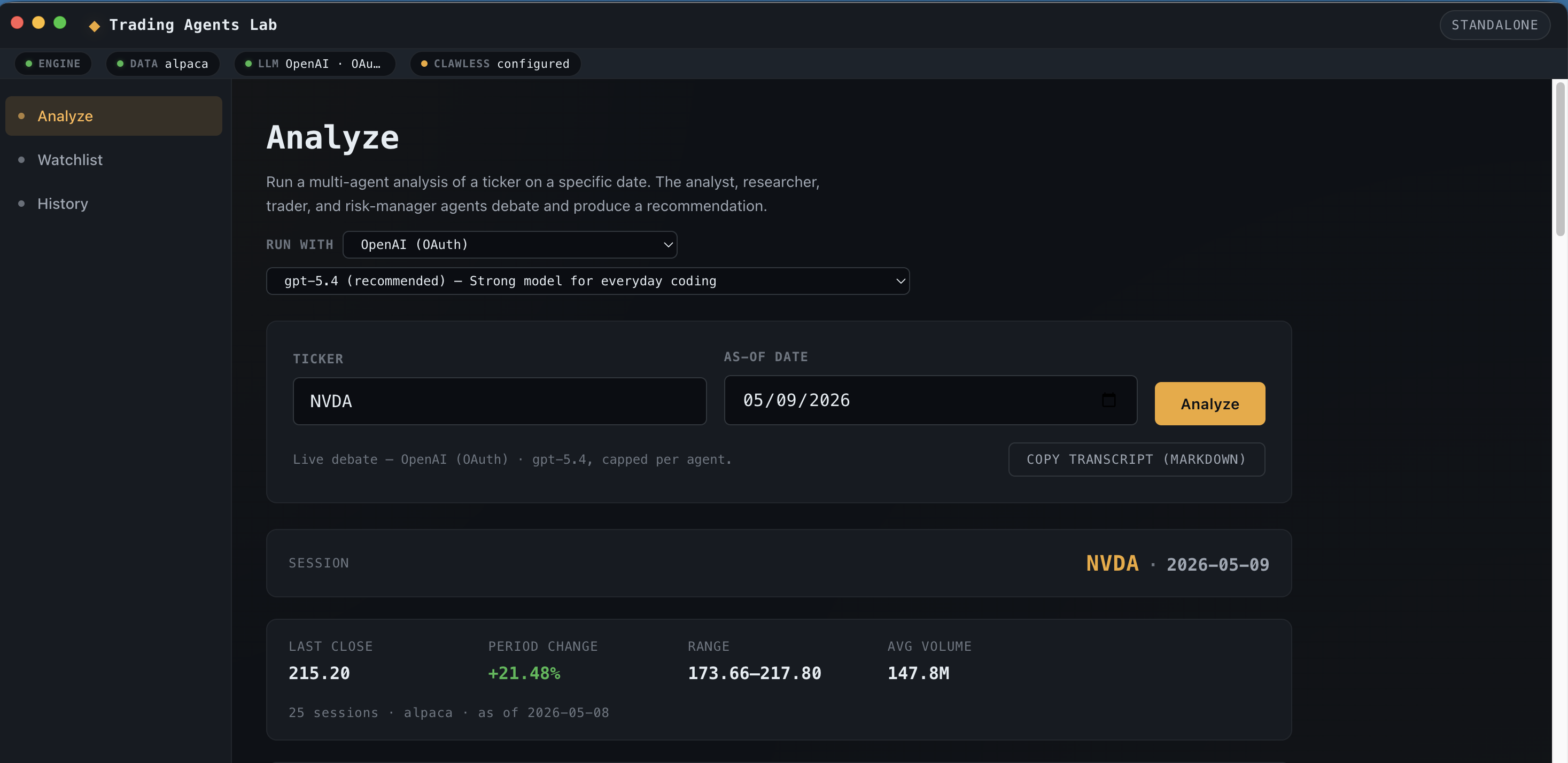
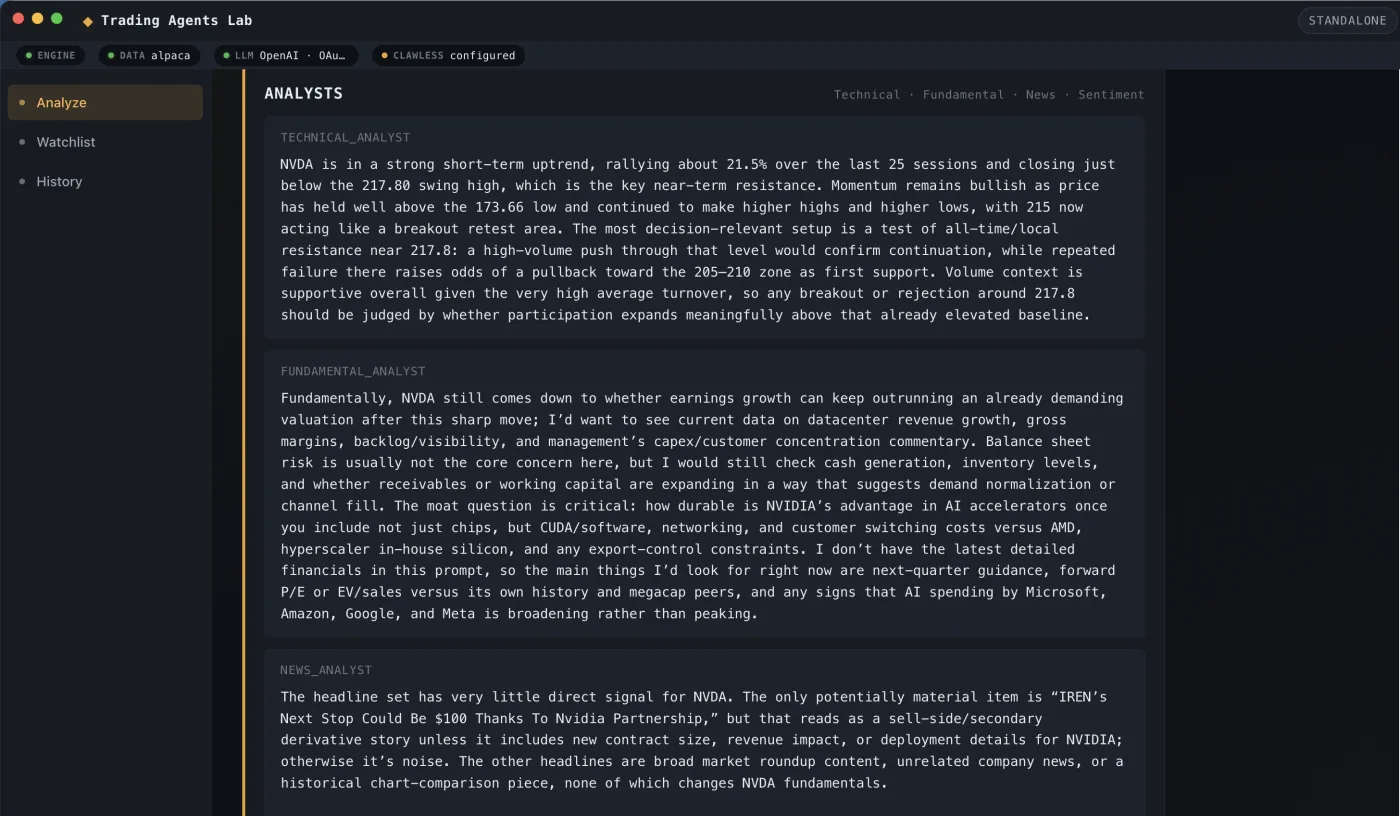
Analyst phase, three perspectives.
The first wave is the analyst team. A technical analyst, a fundamental analyst, and a news analyst each look at the ticker independently and stream their findings into the page. You read along as they form their views. Output is tagged by role so you can follow which analyst said what.
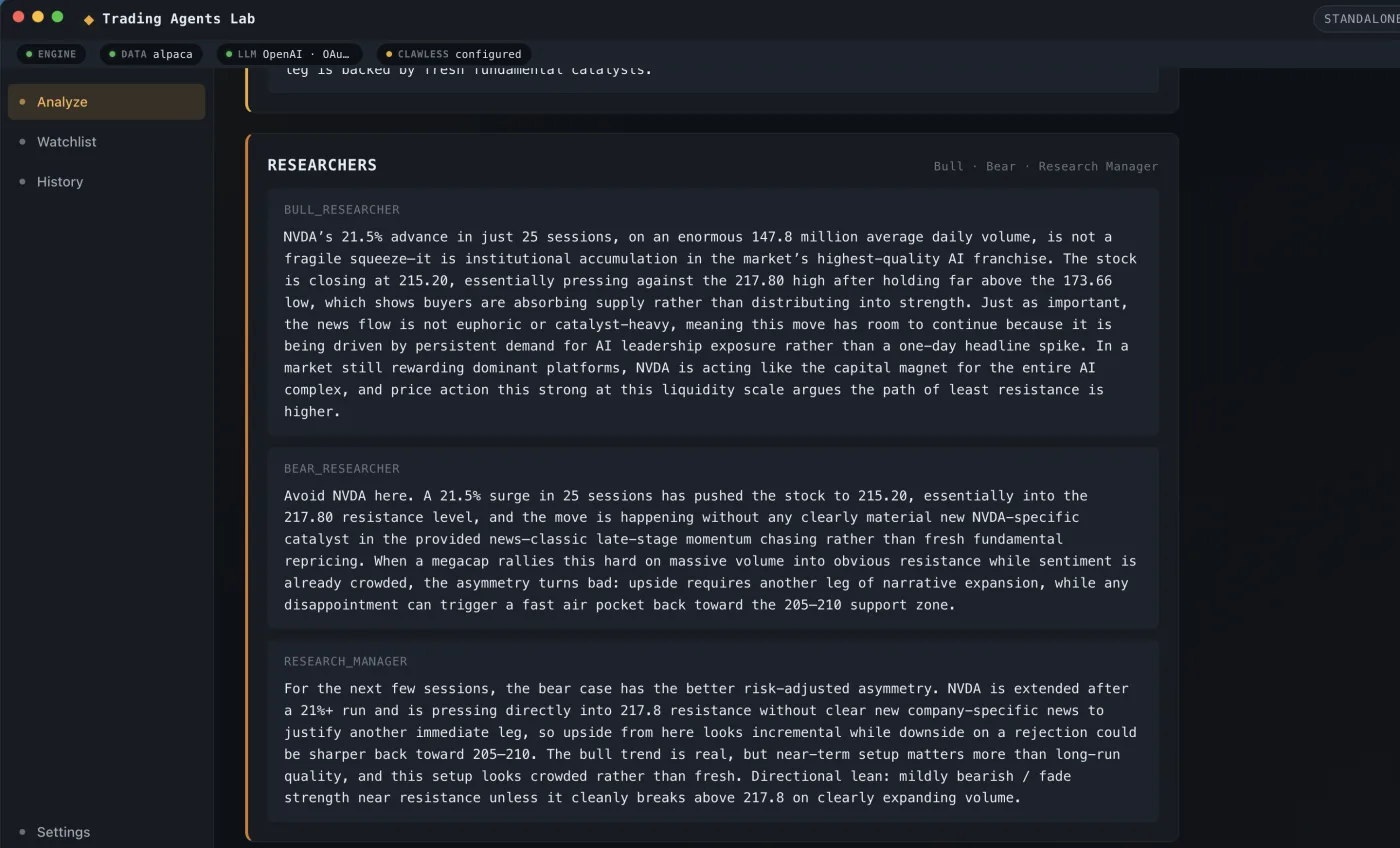
Bull and bear go to debate.
Once the analysts finish, a bull researcher and a bear researcher pick up their findings and argue opposing positions. A research manager moderates the back and forth and pushes them to address each other's strongest points. The debate is the part of the system that surfaces what would normally be hidden assumptions.
An assessment lands, with the math in view.
A three-seat risk committee (conservative, neutral, aggressive) reviews the debate and weighs the trade-offs. The Portfolio Manager reads everything and produces the Committee Assessment: an analytical stance, a conviction score, bull and bear thesis strengths, a risk level, and the one-paragraph reasoning that ties the inputs together. The inline disclaimer ships on the same card as the assessment because the assessment cannot live without it.
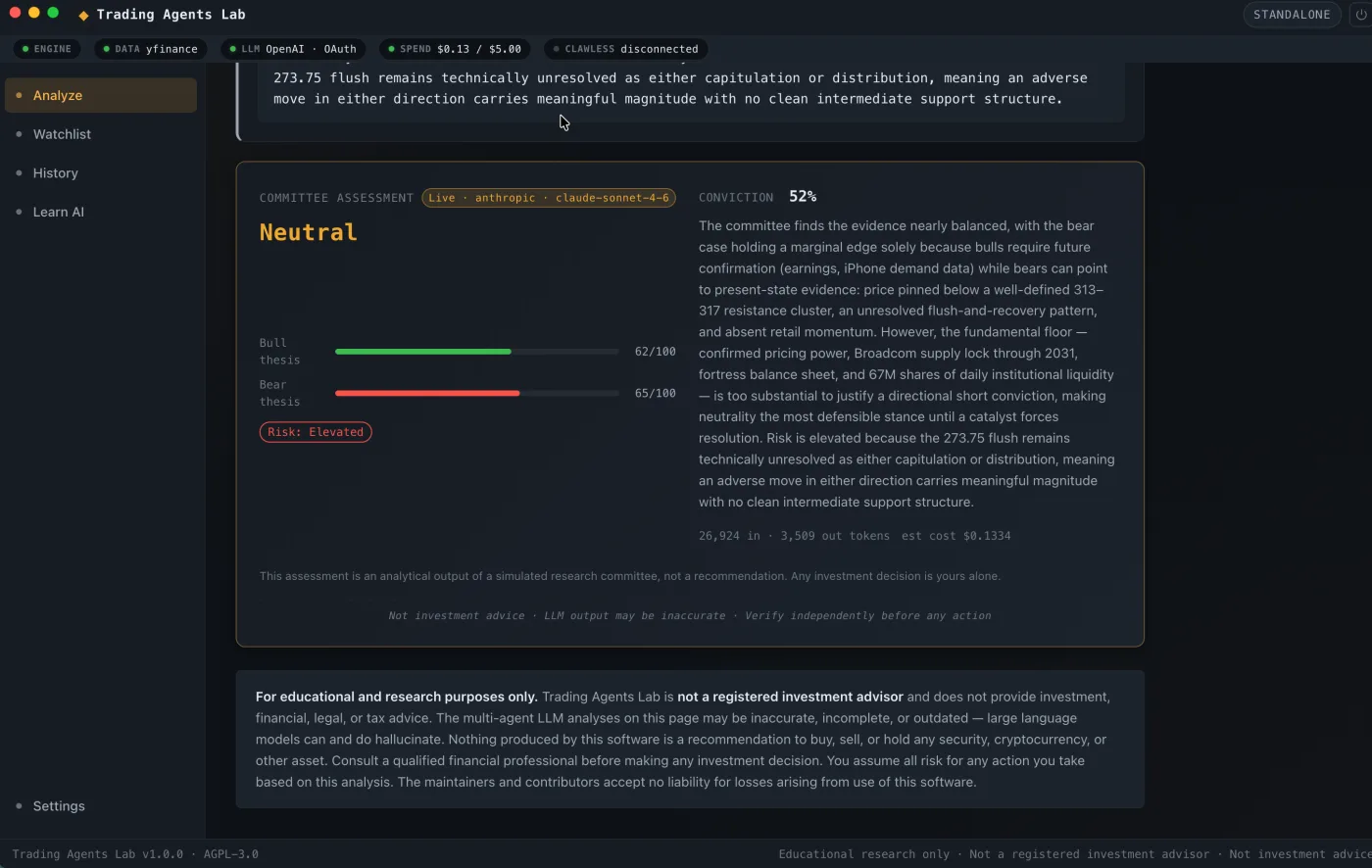
Illustrative output from one run. Not advice. Not a recommendation. Not a forecast.
Queue the tickers you care about.
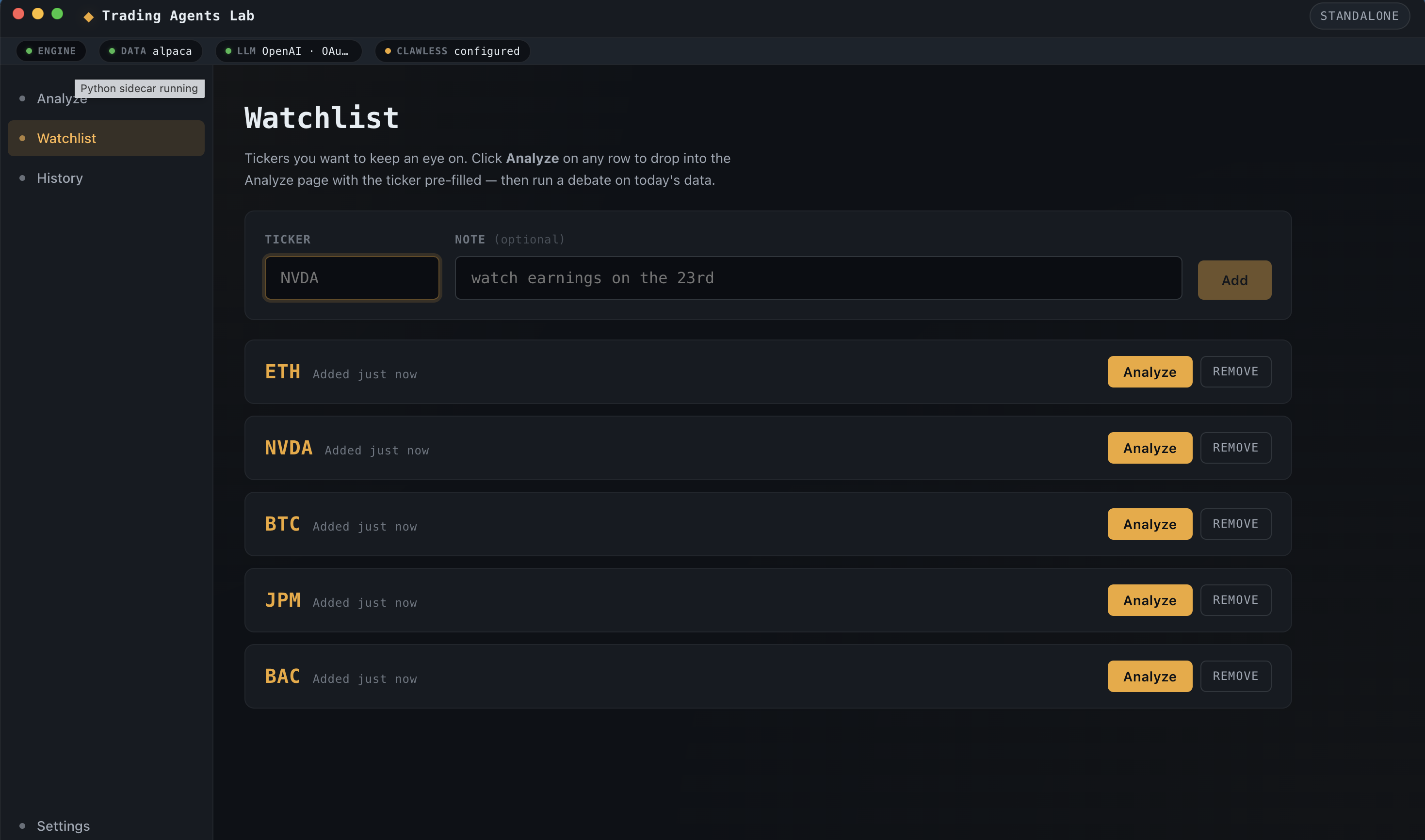
The Watchlist holds your tracked tickers, equities and crypto in the same list. Hit Analyze on any row to drop into the Analyze page with the ticker pre-filled. The batch runner can sweep an entire watchlist sequentially and fire your configured webhooks as each Diligence run completes.
Every run stays on your machine.
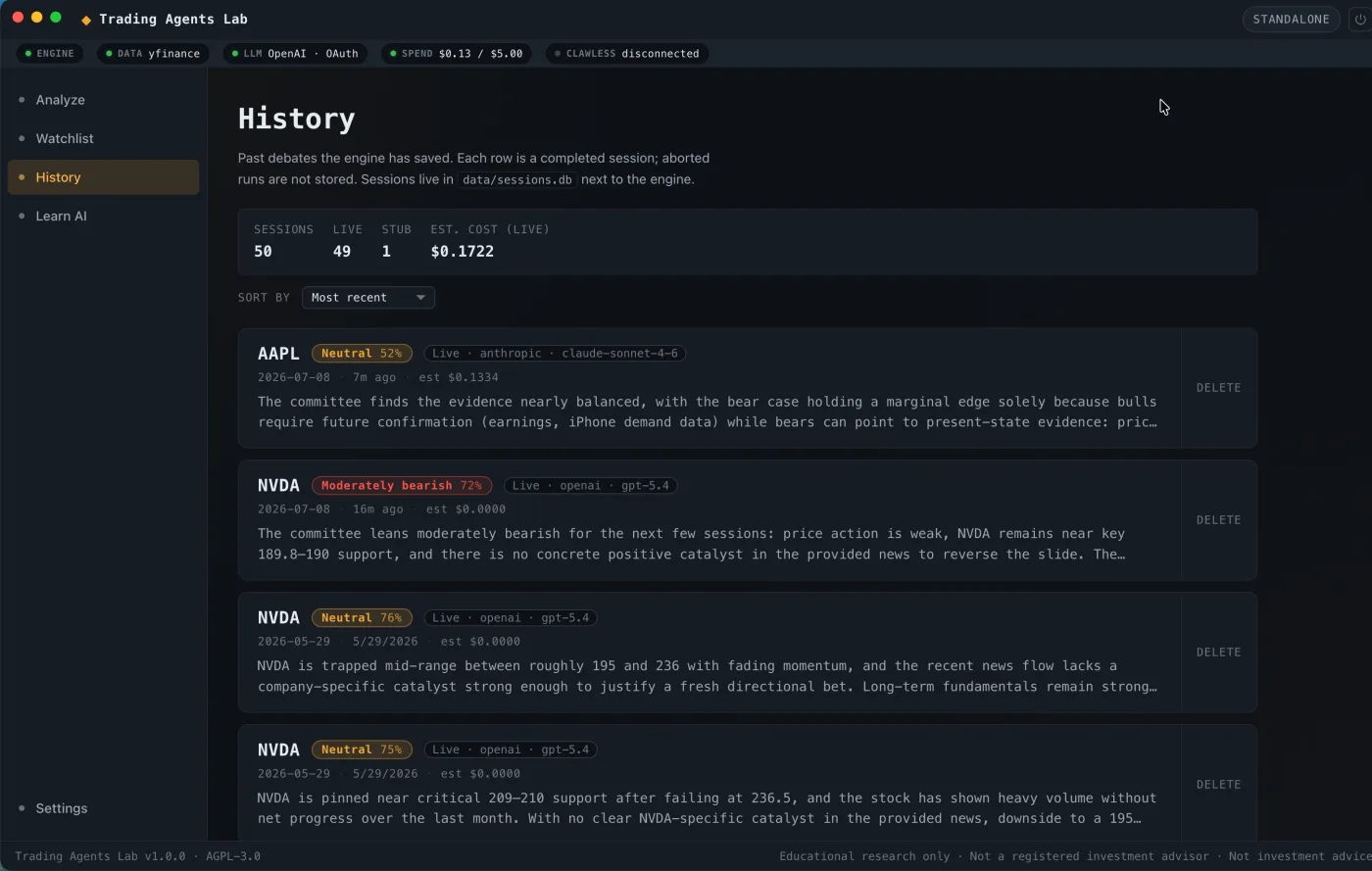
History persists every Diligence run to a local SQLite database in the app's user-data directory. Sort by date, ticker, or cost. Click into a row to re-read the full debate transcript and committee assessment. Nothing is uploaded, nothing is synced to a server, nothing leaves the laptop.
Bring your own providers.
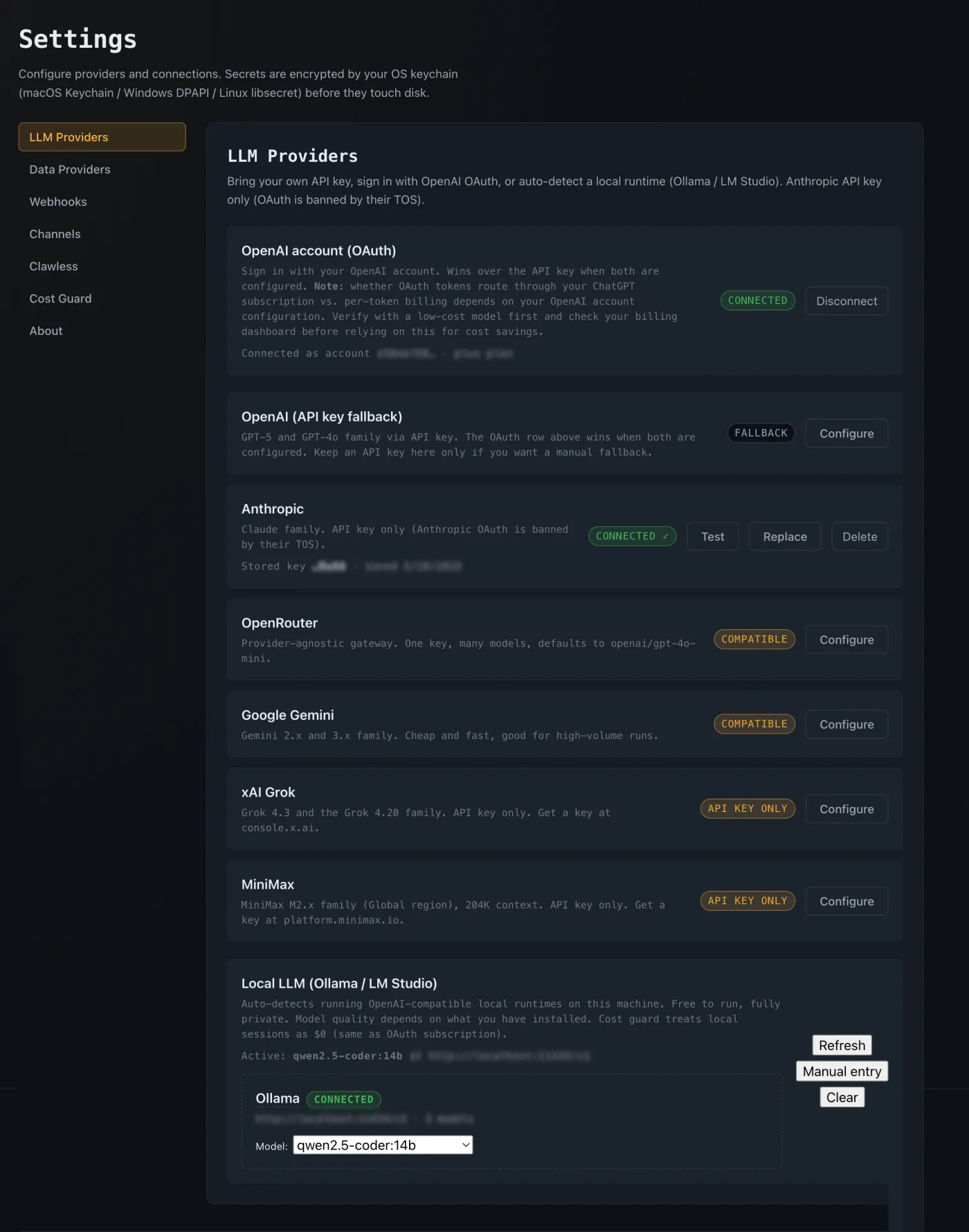
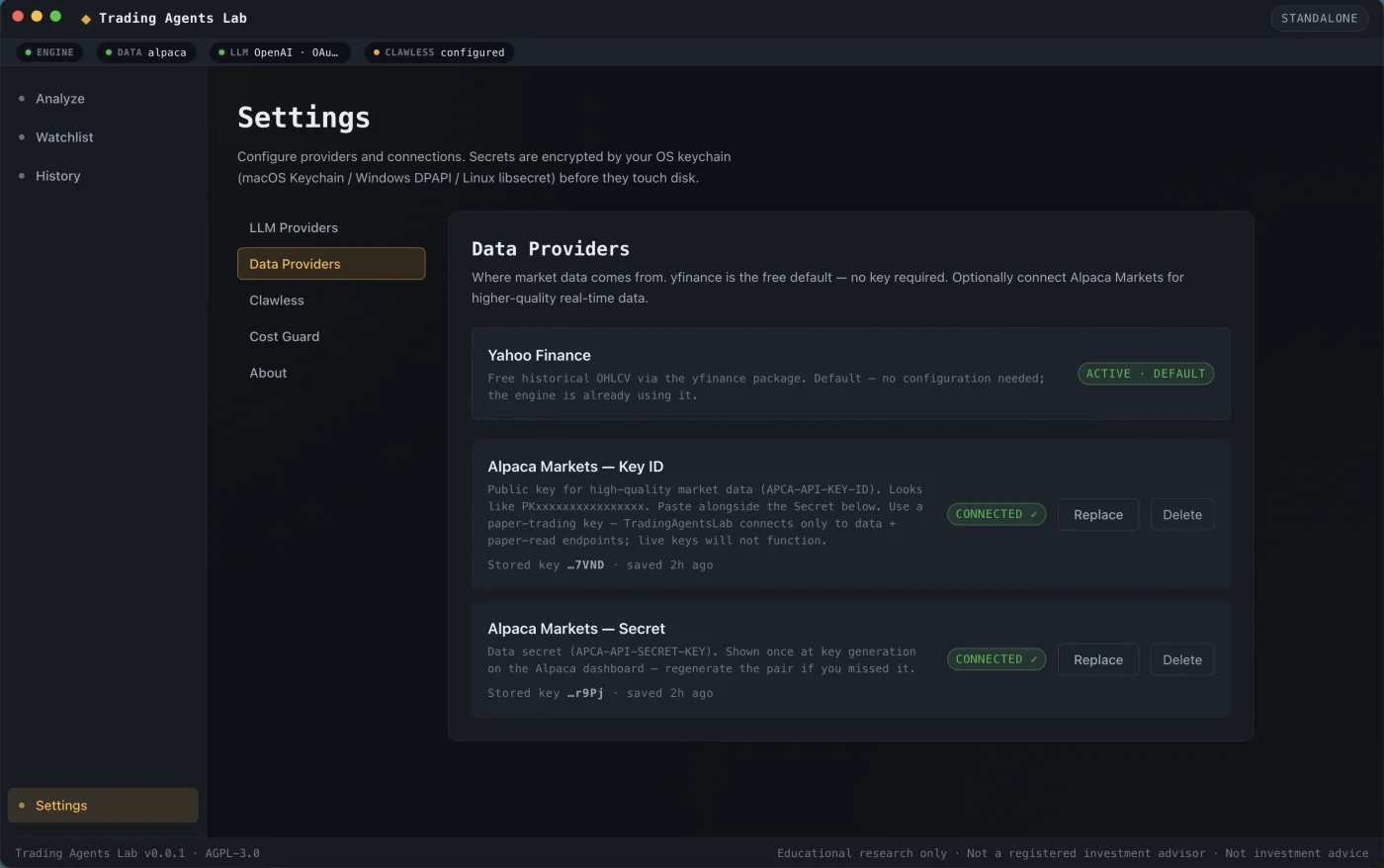
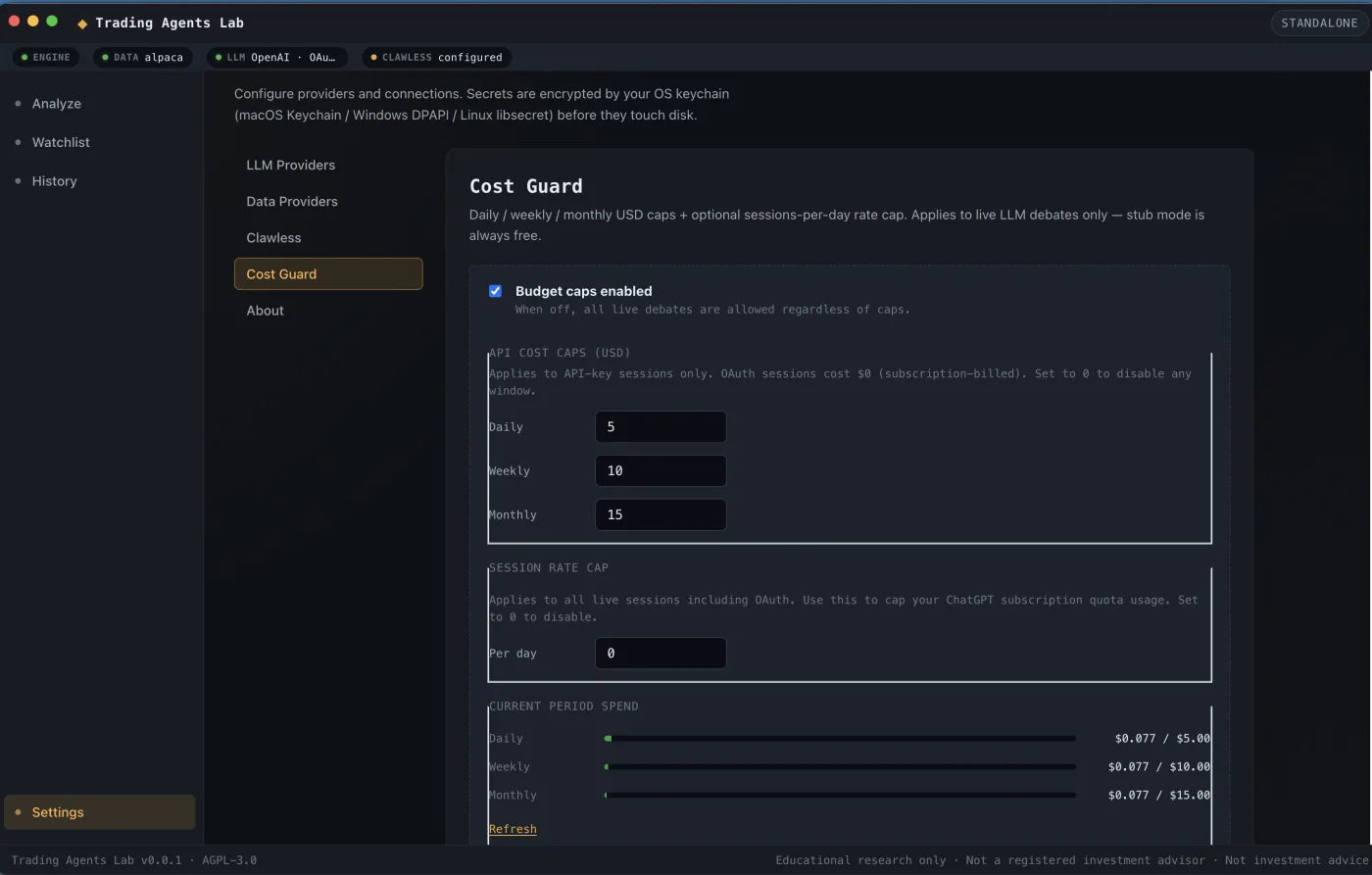
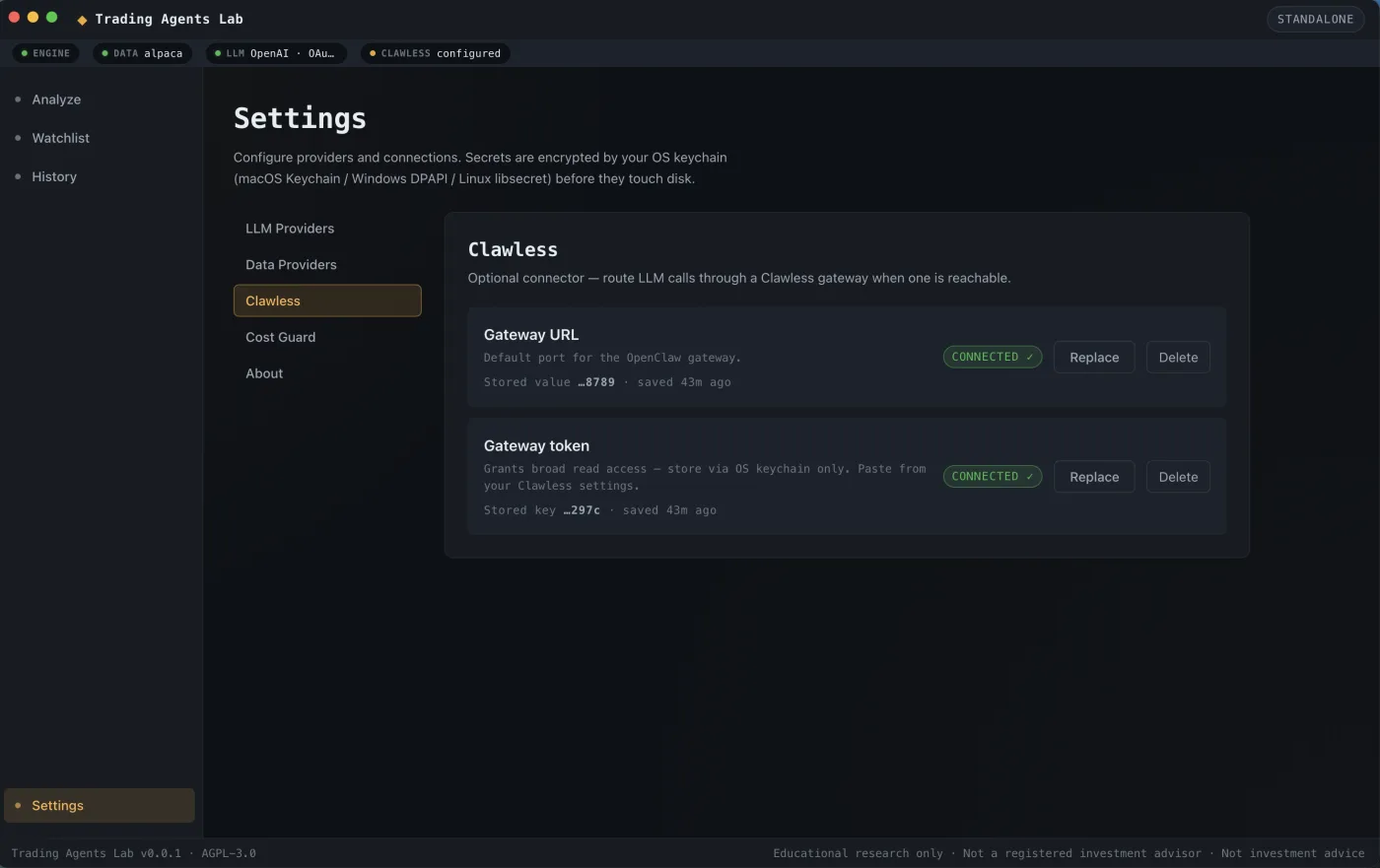
The Settings surface is where the desktop app earns its keep. Configure LLM providers (OpenAI, Anthropic, OpenRouter, Gemini, xAI Grok, MiniMax, or a local runtime like Ollama or LM Studio), pick your data adapter, set hard spend caps on the Cost Guard, and optionally wire up the Clawless Computer gateway. Credentials are encrypted at rest via your OS keychain (Keychain on macOS, DPAPI on Windows, Secret Service on Linux). Nothing ships to RBJ Global. Nothing ships to anywhere except the providers you chose.
Take it on your phone.
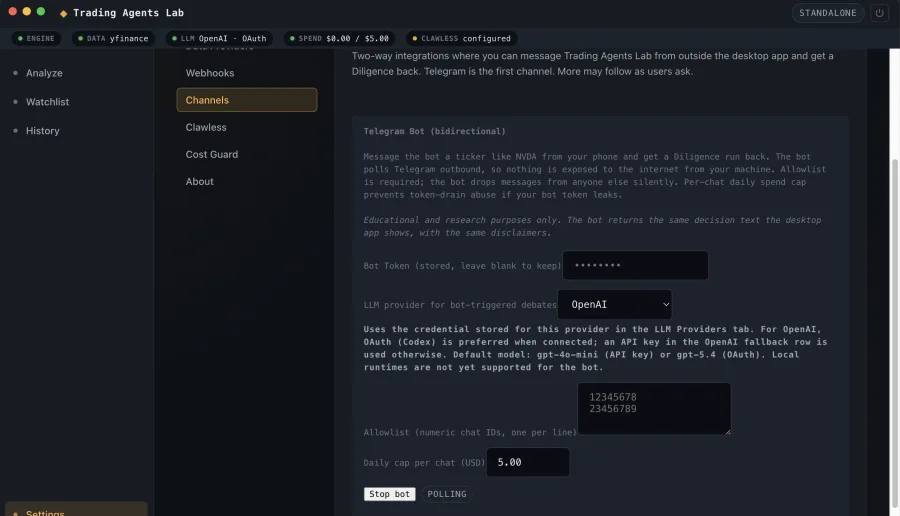
The Channels tab is where the desktop app reaches out to meet you wherever you are. The first channel is a bidirectional Telegram bot. Message a ticker like NVDA from your phone and the Diligence runs on your laptop; the decision card lands back in the chat. Useful when you're at work, on a walk, or anywhere away from the desktop where you originally configured everything.
The bot connects outbound to Telegram via long polling. Nothing on your machine is exposed to the internet, no public URL, no relay server. An allowlist of chat IDs gates who can trigger a Diligence; messages from anyone else are silently dropped. A per-chat daily spend cap keeps a leaked bot token from draining your LLM budget.
Configure once. Use anywhere.
Paste the bot token from BotFather, pick the LLM provider, list the Telegram user IDs you want to allow, set a per-chat daily cap, hit Save and Start. The bot comes online and remembers your settings across engine restarts.
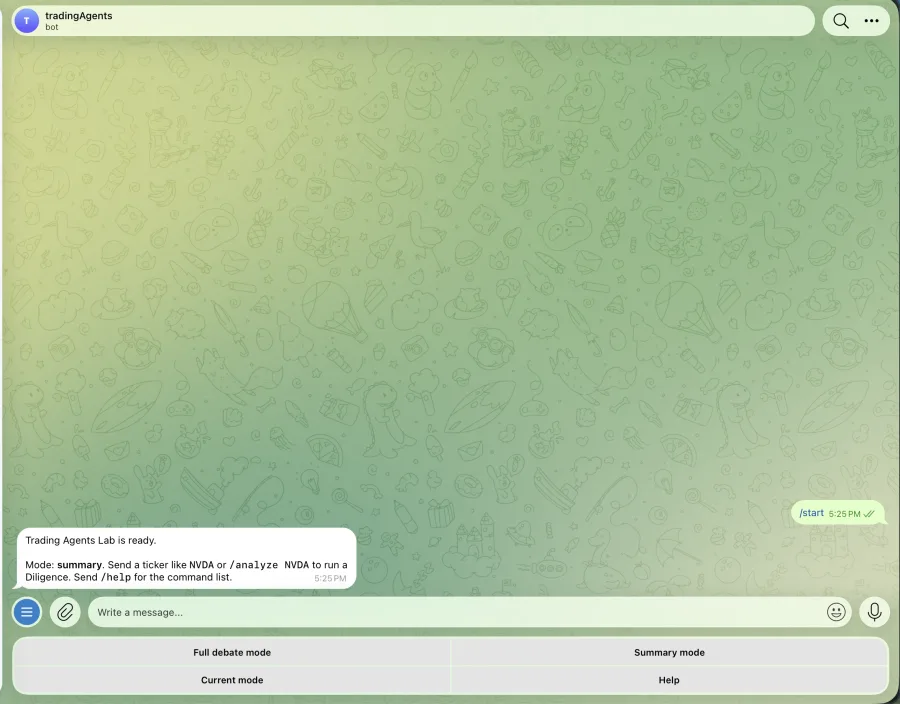
The first time you message the bot, you tap a button or type a ticker. The bot replies with a status, runs the Diligence on your laptop, and streams the result back.
Two ways to read a debate.
In summary mode (the default), the bot sends short phase headers as the debate progresses and the final decision card when it lands. Three or four messages total. Useful when you just want the answer.
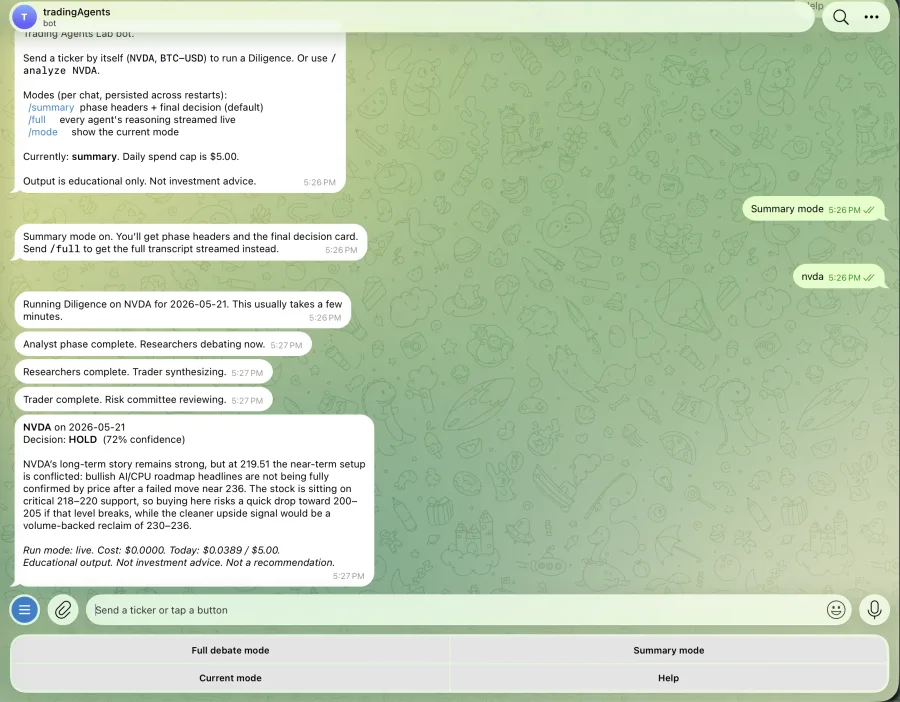
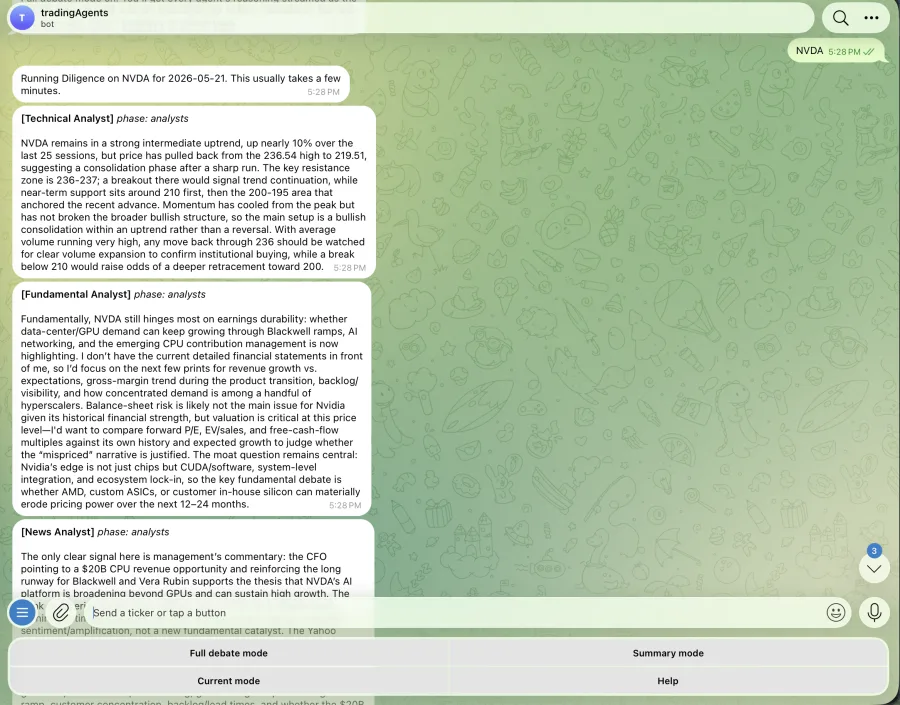
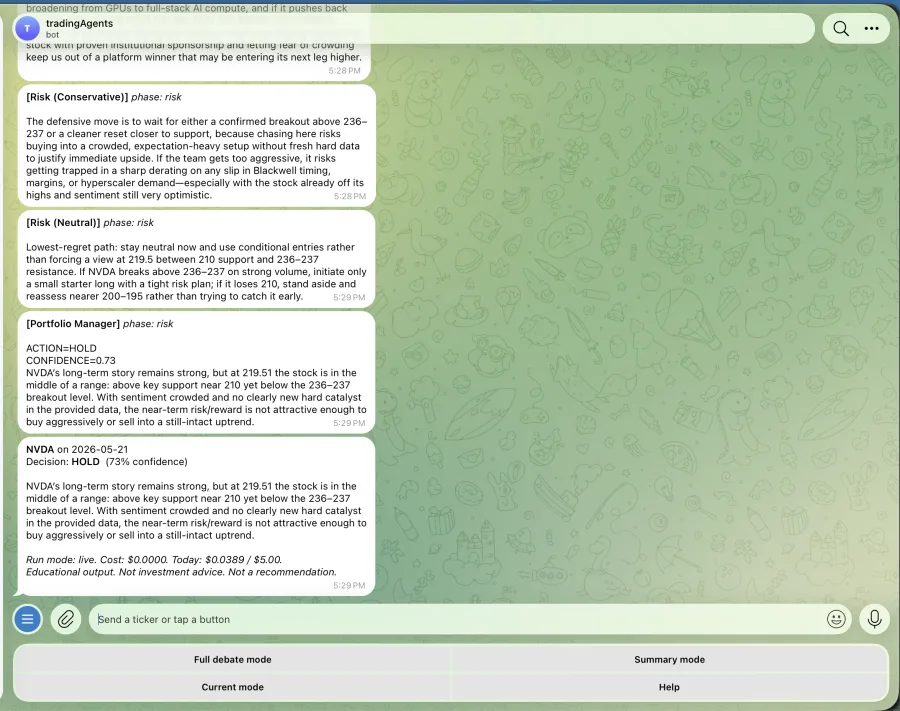
In full mode (toggle with the Full debate mode button or the slash-full command), the bot forwards every agent's reasoning as its own message. You read the technical analyst, fundamental analyst, news analyst, sentiment analyst, bull and bear researchers, research manager, trader, three risk seats, and the portfolio manager in real time. The same transcript a desktop user sees, just on your phone.
Built-in commands.
Typing slash in the Telegram chat pops the autocomplete menu (analyze, full, summary, mode, help, start). The four most common actions live on the persistent button grid below the message input so you don't have to remember the syntax. Tap Help to see the full command list at any time.
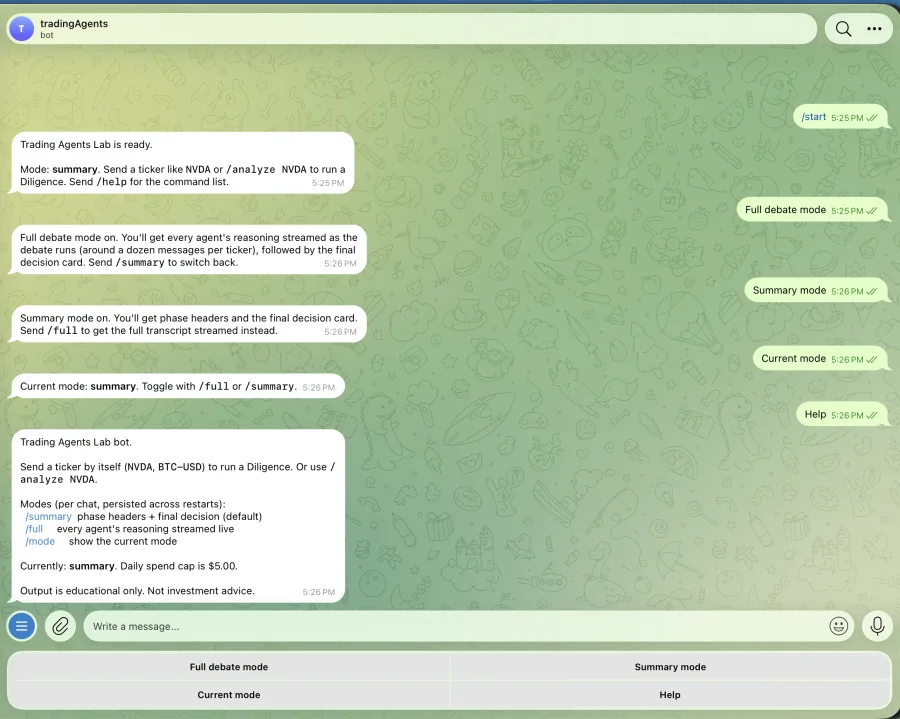
Illustrative output from one run. Not advice. Not a recommendation. Not a forecast.
Try it for yourself.
The full app is free, open source, and runs locally on macOS and Linux. Bring your own LLM provider keys, configure your own data adapter, and run as many Diligence runs as your cost cap allows.
Reminder: everything shown on this page is educational output from a single run. Trading Agents Lab does not recommend any security, does not execute trades, and is not a substitute for licensed financial advice. Read the full disclaimer.